
Installation
Extension Download & Installation
Signifyd’s Magento app enables merchants on Magento 2 to integrate with Signifyd, automating fraud prevention and protecting them in case of chargebacks.
Follow our install docs for the latest version of the extension to configure for post-authorization.
Please note that the Magento Marketplace contains an older version of the Signifyd extension.
For pre-authorization, additional configurations are required. Please see Policy Mapping in Signifyd’s GitHub repository.
Configuration
Once the latest version of the extension is installed, you can configure the extension for your TEST environment directly within Magento. To do so, navigate to the configuration page within Magento to choose your customizations.
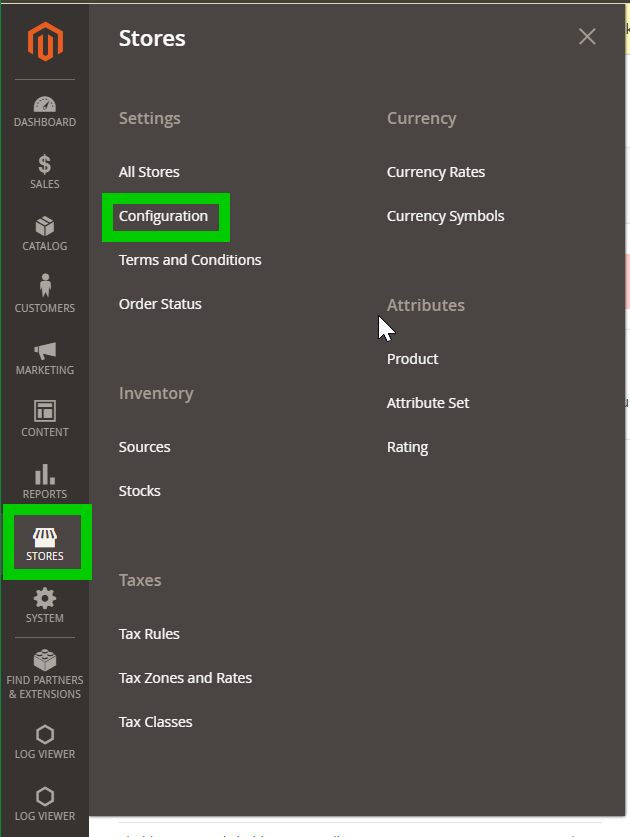
Under 'Stores' navigate to 'Configuration'
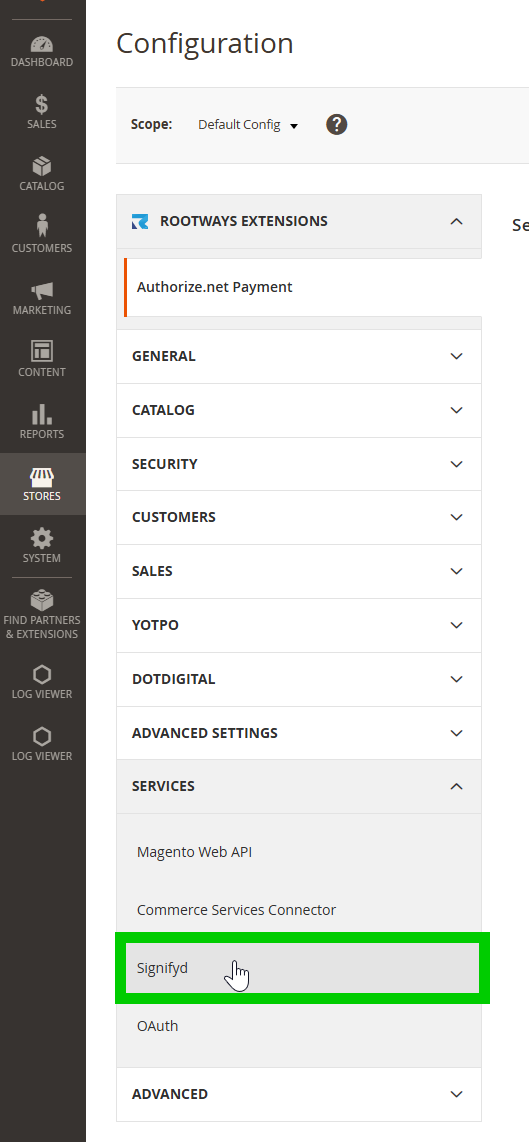
Next click 'Services' and 'Signifyd'
This will bring you to the Signify plugin settings page. By default, all settings will be set to either off or passive mode, and your Signifyd environment will not be connected. Follow the below instructions for the initial configuration.
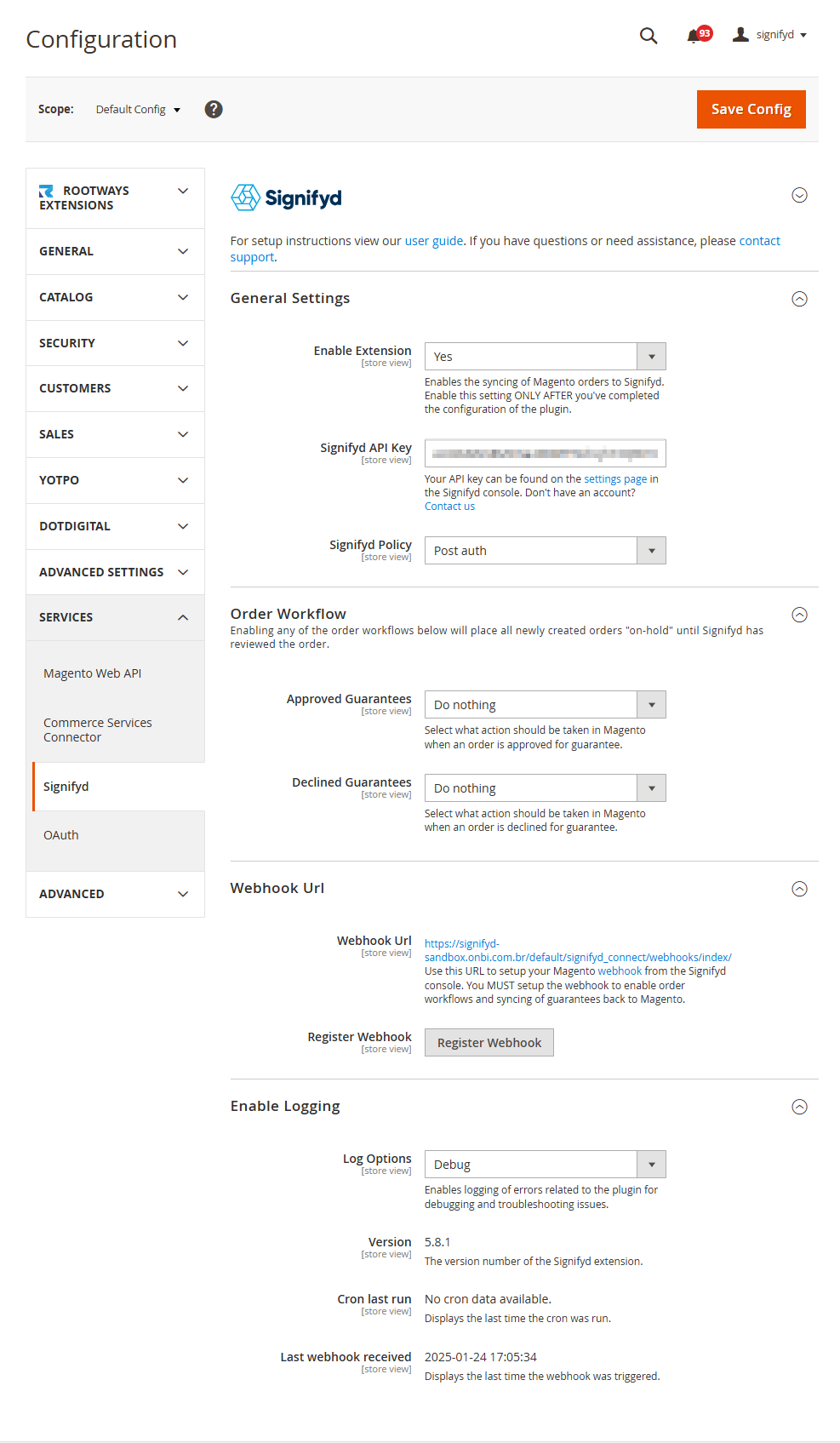
General Settings
-
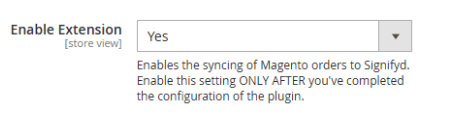
Set 'Enable Extension' to [yes]
-
For 'Signifyd API key' save your TEST team API key
-
Navigate to Signifyd settings and choose the appropriate API key for your team.
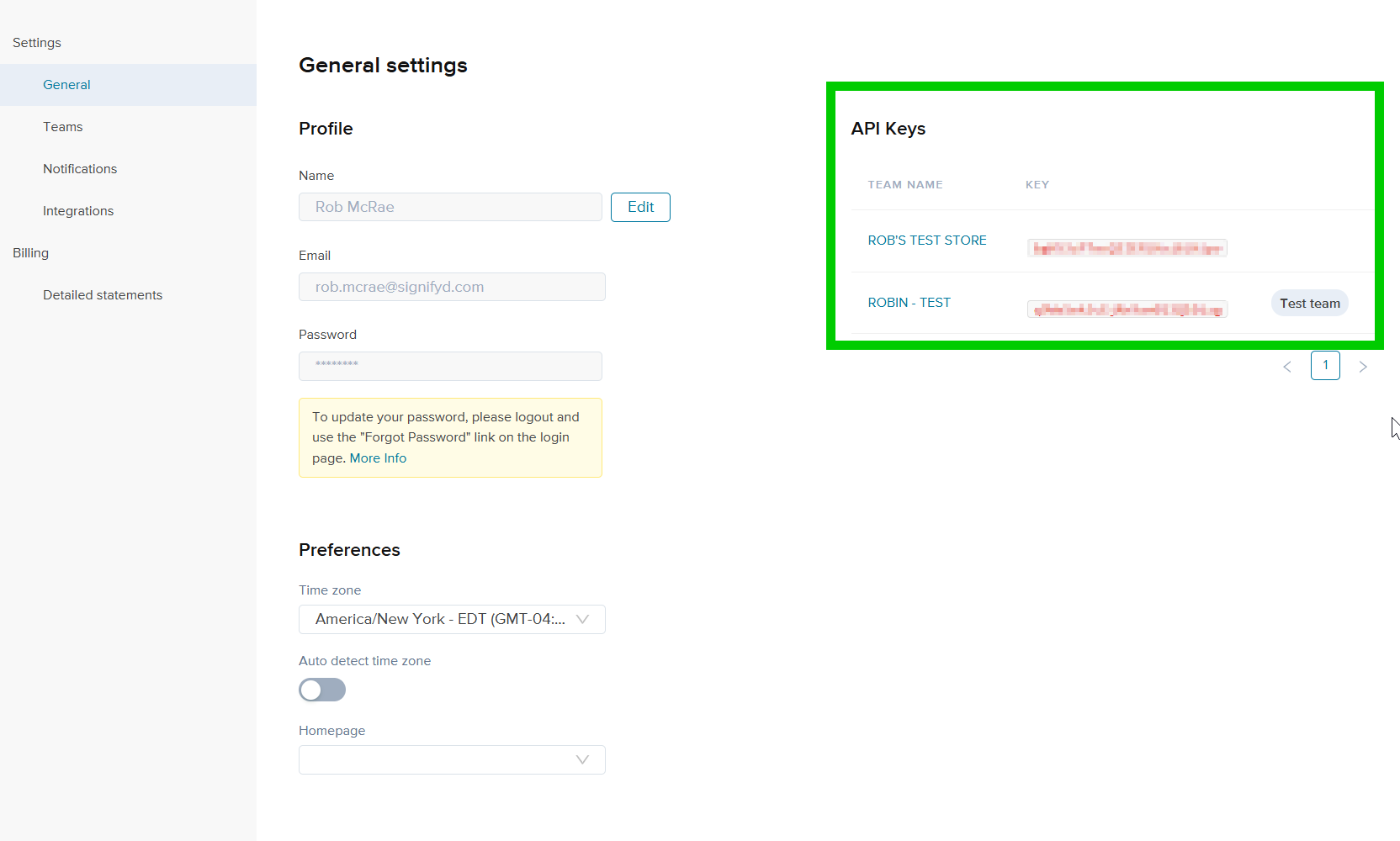
-
You will update this value when testing is completed, and the next phase of calibration begins.
-
-
Choose the appropriate 'Signifyd policy' to match your store's configuration.

Pre Auth
- Timing: Signifyd analyzes the order before the payment is authorized by the payment gateway.
- Workflow: If Signifyd declines the order, it can be blocked at checkout, preventing the payment authorization from even being attempted. Only orders approved by Signifyd are sent to the payment gateway for authorization.
Post Auth
- Timing: Signifyd analyzes the order after the payment has been authorized.
- Workflow: All orders are sent to the payment gateway for authorization. Signifyd then reviews the order, and if it's declined, you need to manually stop or review the order within Magento.
Steps:
-
Select "Pre auth" or "Post auth" in the "Signifyd Policy" setting within the Magento Signifyd plugin configuration.
-
Configure Magento to prevent payment authorization for orders declined by Signifyd. This might involve setting up order statuses or using a specific payment gateway configuration
-
Verify Payment Gateway Integration with Magento:
-
Navigate to Stores > Configuration > Sales > Payment Methods
-
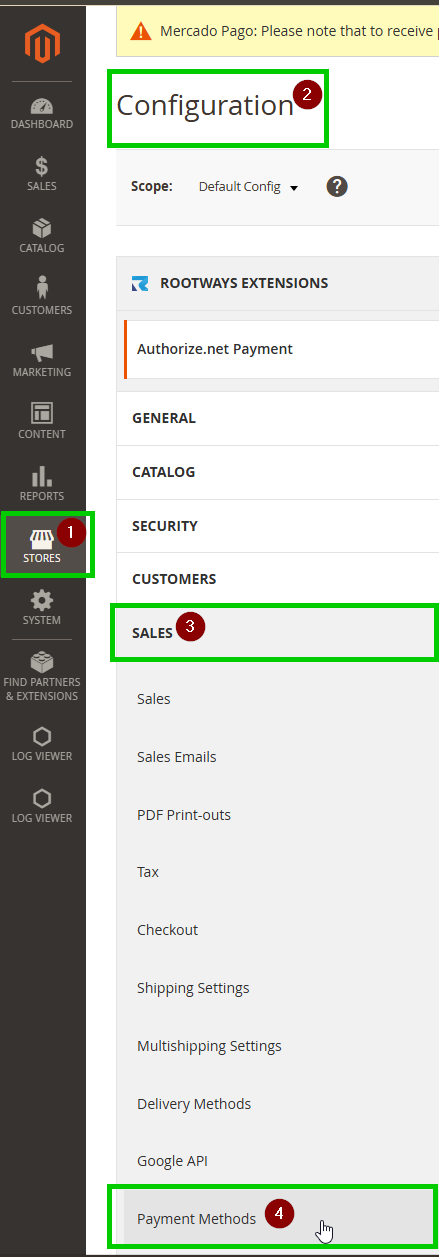
Locate the specific payment method(s) you want to use with Signifyd (e.g., Authorize.Net, Braintree, Stripe). For pre auth configuration, find the "Payment Action" setting for each of your covered payment methods. Set the "Payment Action" to "Authorize".
This is the critical step for pre auth. "Authorize" tells Magento to only request authorization from the payment gateway and not to capture the funds immediately when the customer places the order. Signifyd will then analyze the order during this authorization phase.
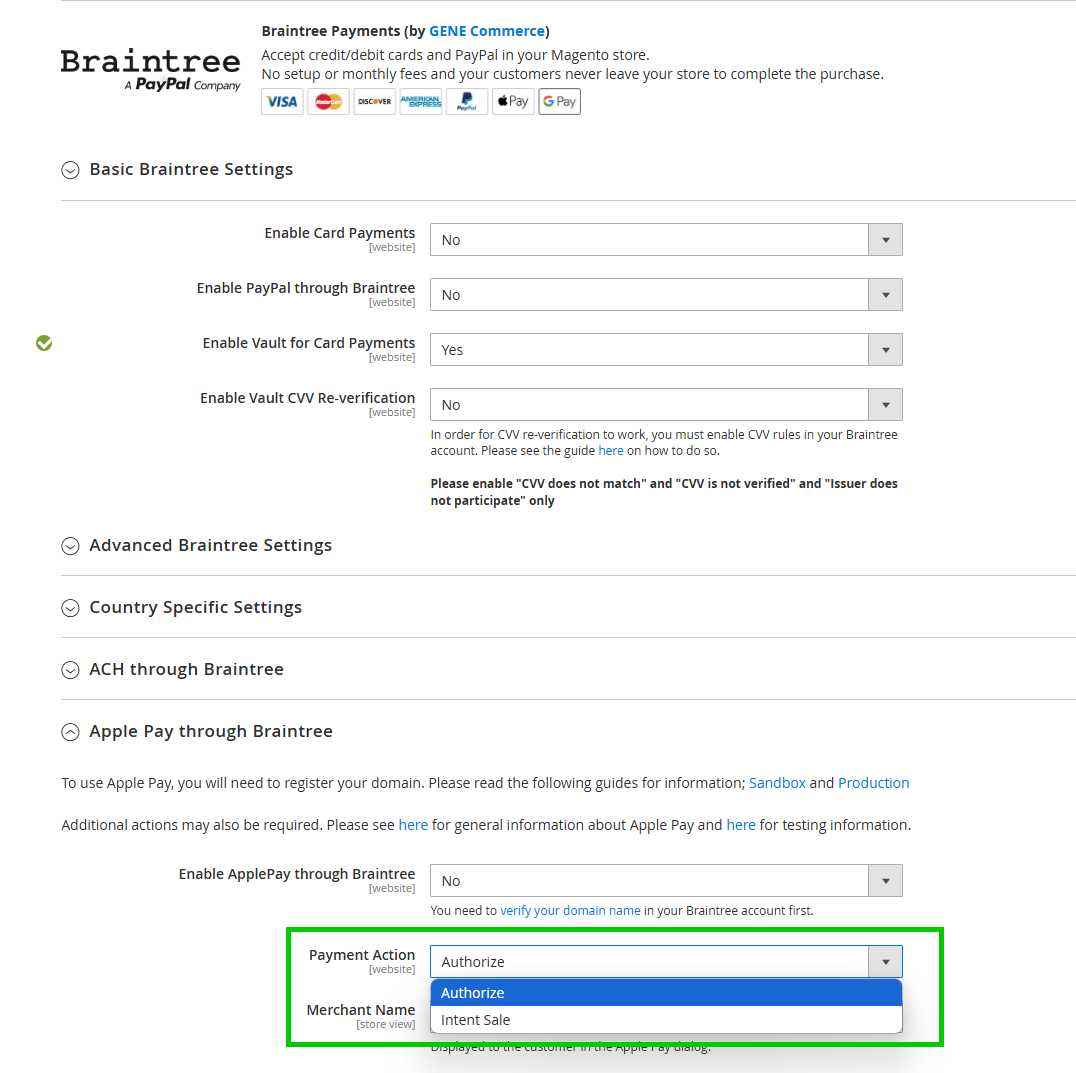
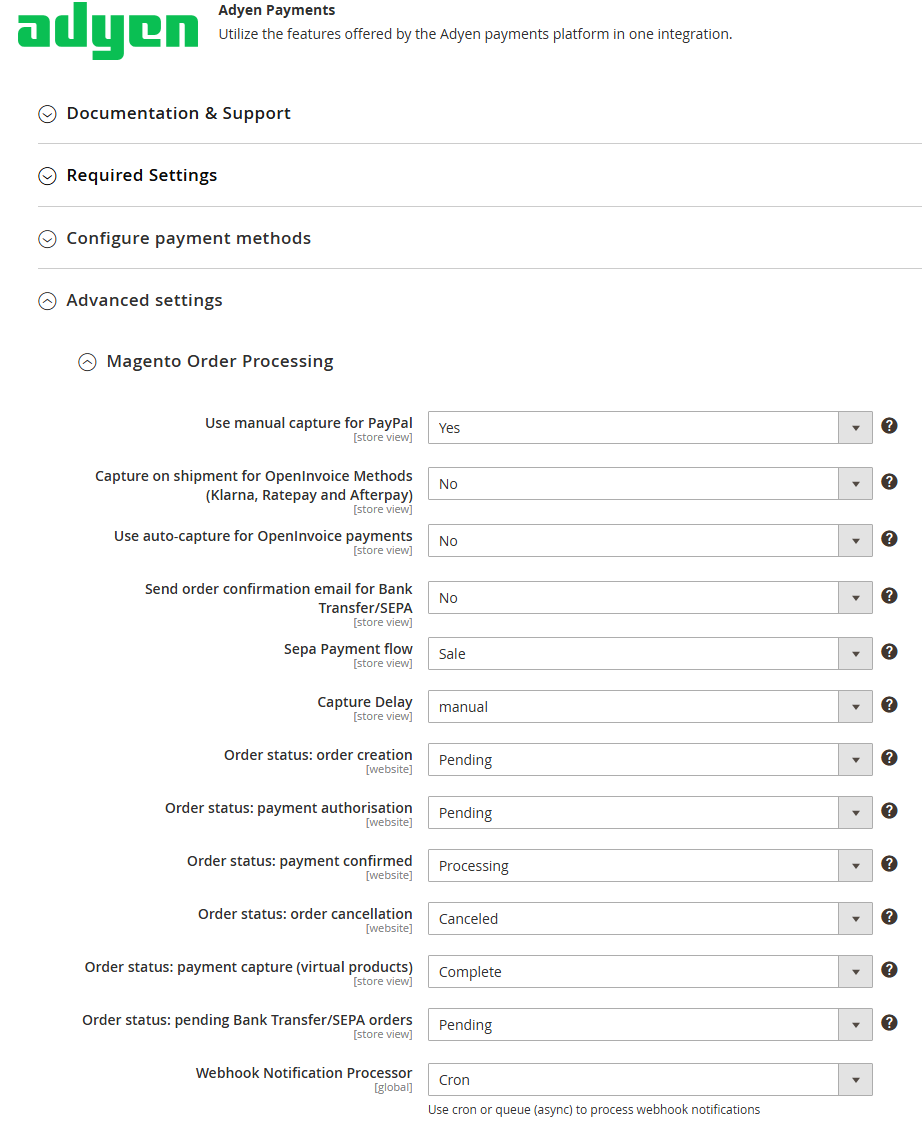
- Within the configuration settings for that payment method, look for sections related to order status. You should find options to set the "New Order Status," "Payment Accepted Status," "Payment Failed Status," etc. Adjust order status workflow (optional but recommended). Depending on your existing order processing workflow, review and adjust your Magento order statuses.
A common approach for pre auth is:- The Signifyd case is created previous to Magento order creation
- Pending Payment: Payment is authorized but not yet captured
- Processing: Capture payment and begin fulfillment
- Canceled/Hold: Signifyd has declined the order, and the authorization can be voided (depending on your payment gateway's capabilities and your desired workflow).
A common approach for post auth is:- Pending Payment: Your chosen payment system tries to get an initial authorization for the payment.
- On Hold: This is where things pause for Signifyd to conduct an order review, assessing the risk before the payment is locked in.
- Processing: If Signifyd says it's approved Magento will automatically take the order off hold. At this point, the payment capture is finalized and the order is ready to ship.
- If Signifyd raises a red flag: The order will likely stay on hold or be automatically canceled by your system. The initial payment authorization would also be reversed.
- Complete/Canceled/Closed: Just the usual final steps once the order is shipped and done, or if it gets canceled for some reason.
-
Order Workflow
This section will allow you to configure how Magento orders are updated after Signifyd has reviewed and decisioned them. It is important to test your desired order flow prior to applying these configurations to your production store. See Automation section for details.
Test the Checkout Process:
Once you have settled on a desired order workflow, thoroughly test the checkout process with each payment gateway. Place test orders to ensure that:
- The payment gateway authorizes the funds immediately for a post auth configuration or after Signifyd's decision for pre auth.
- The order reaches Magento with an appropriate status (e.g., "Pending Payment").
- The order information is being sent to Signifyd for review (you can verify this in your Signifyd dashboard).
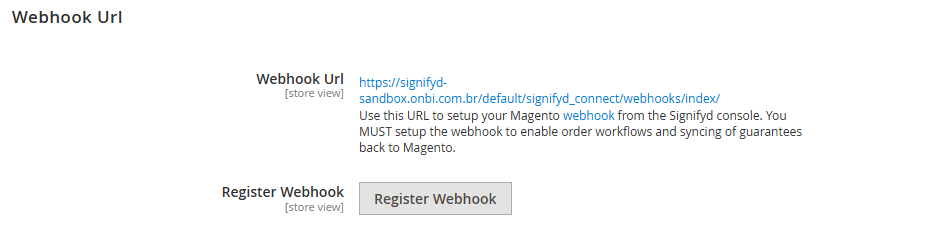
Webhook
Enable Logging
It is recommended to always let the integration collect logs so that Signifyd support and your developers can troubleshoot any behavior that requires additional investigation.
- Set 'Logging' to [Info]
Save the above settings, then on the same page click 'Register webhook'.
Your Implementation Manager will go over the specific settings to use for Approved Guarantees and Declined Guarantees based on your level of service and desired order workflow.

Updated 10 months ago