
Testing
Within the Signifyd console, each store is represented by a Signifyd team. Once the Signifyd plugin is installed to your Shopify or BigCommerce store, it will automatically create a new production team associated to your store. For all other integrations a Signifyd team is generated through a request to your assigned account manager or an email directly to [email protected].
When conducting testing, the plugins also need to be installed/added for your test environment. For Shopify and BigCommerce it is imperative that you inform either your dedicated Implementation Manager or Signifyd support when you plan to connect a test environment so that we can update your newly created Signifyd production team to a test team.
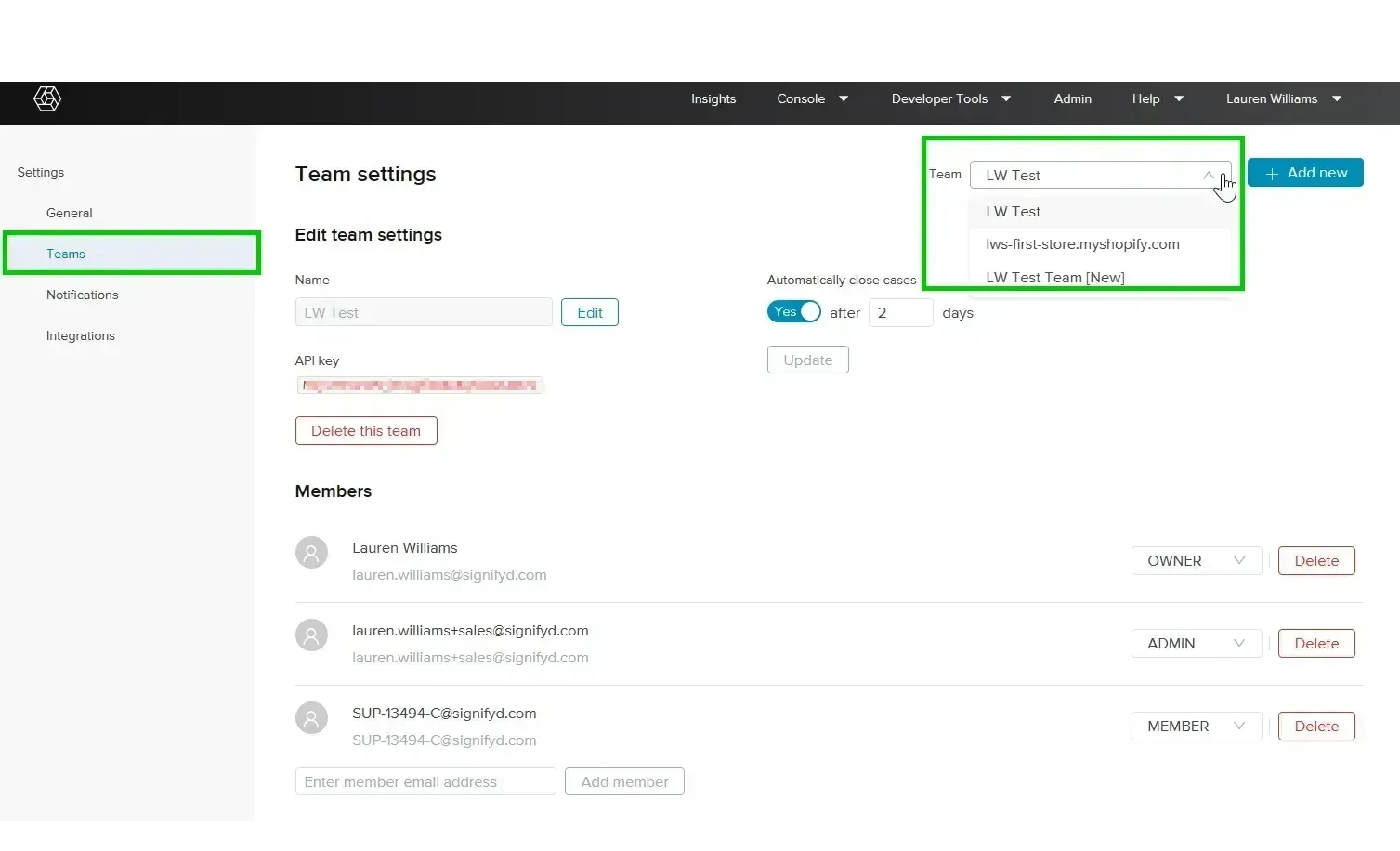
Signifyd test teams are slightly different to production teams as the orders created are not used in model learning. For this reason, it is strongly recommended to never send test orders to your production teams. Any test data added to a production environment can pollute the model with false data.
Testing your integration
We recommend testing your Signifyd integration in order to confirm that it has been configured successfully.
Depending on the complexity of your Magento store's set up, testing can be completed in less than a day or over a series of days.
We recommend creating orders in your Magento testing environment that allow you to test integration for the following scenarios:
- Integration with your shipping fulfillment software
- Integration with your order management system
- Different payment methods
When you create a test order in your store, you should confirm the following:
- A case has been created in Signifyd
- The Signifyd case details match the test order details
- The guarantee status and score shown in the Signifyd console match what is displayed in your system orders grid
- If the order has been approved for guarantee, the configured workflow is triggered
- If the order has been declined for guarantee, the configured workflow is triggered
Once testing has been completed, and you've confirmed that your integration is working, our Implementation team will guide you through the rest of the onboarding.
Scenarios
When generating test orders, be sure to account for all scenarios you are expecting with your live production traffic. Below are some examples of variables that should be accounted for and approved during testing. Consider your entire order flow process such as when payment will be captured (before or after Signifyd's decision).
-
Payment gateways
- Shopify Payments
- PayPal
- Braintree
- Stripe
-
Payment methods
- Credit card
- Apple Pay
- Amazon Pay
- Google Pay
-
Payment types
- Single-card transaction
- Multi-card transaction
- Buy-now-pay-later
- Subscription
- Down payment
-
Shipping methods
- Standard
- Expediated
- Same day shopping
-
Discounts
- % discount
- $ discounts
-
Digital vs physical goods
- Ask your Signifyd representative to confirm
-
BOPIS (buy-online-pickup-in-store)
- Delivery address as correct store address
- Ask your Signifyd representative to confirm
-
Approved/declined/pending orders
- Confirm desired, order flow after Signifyd decision
- Confirm desired, order flow after Signifyd decision
This is not a comprehensive list. Additional testing may be required, or some items may not apply to your store.
Updated 10 months ago